Showing posts with label Lightroom. Show all posts

Tuesday, January 17, 2012

Technique Tuesday: Top 10 Hits of 2011

Top Ten TTues Posts

Good Morning Everybody,

I’m a little light on my report from Imaging USA today.  I was in meetings most of the day and attended the tradeshow late in the day.  I plan to be there all day today so I hope to have more to report tomorrow.

At the beginning of a new year many sites will report top 10 lists on about everything.  Hey, DigitalProTalk is no different ;~)  This is the week for my listings of DPT’s top 10 lists.

For today’s post I spent quite a bit of time reviewing ALL the Technique Tuesday posts from last year, checking the stats, and arranging the posts in order from most viewed tutorials. 

The topics range from off-camera lighting with small speedlights, lighting in lousy locations, my favorite wedding images, Lightroom tips and tricks, and more.  All told, these videos give you about 4 hours of great information. I sure hope you enjoy revisiting each of the links listed today.

TOP 10 Technique Tuesdays For 2011

1 . Trigger Happy Budget Flashes -

2. Impossible Location - Amazing Portraits

3. Supercharge Your Portable Speedlight's

4. You Won't Believe Your Eyes

5. 5 Steps To Better Wedding Portraits

6. Oh, The Lightroom Auto Mask Feature – I Love You, I Hate You!

7.  Light Painting With Lightroom 3

8. 5 Of My Favorite All Time Wedding Images

9. I Just Feel So Vibrant Today!

10. Super Bowls & Weddings

_______________________________________________________

Hey gang, that’s it for me today.  The programing starts early this morning and I need to hit the road to get to the show. I still have nearly half the show to cover and hope to share with you the more interesting happenings from the show tomorrow.

How about I plan to see you same time, same place tomorrow.  Have a great one and I’ll see you then.

Keep your pixels smiling -David

Friday, January 13, 2012

Lightroom 4 – A Few of My Favorite Things

Good Morning Everybody,

New OrleansLaDawn and I were up well before the crack of dawn this morning working to get everything packed for Imaging USA Convention in New Orleans, Louisiana. Our plane leaves shortly after nine o'clock this morning so I went to get this blog post up before we head out the door.

As you all know, Adobe launched the Lightroom 4 Public Beta this past Tuesday. I quickly downloaded a copy, installed it, and fired it up to check out all the new features. I have to tell you, my first impression is that I love it. In today's post I thought I would give you a quick listing of some of my favorite features and invite you to give them a try. Why don't we get right to it.

Lightroom 4 – A Few of My Favorite Things

1. If you read my blog post on Wednesday you know I'm really stoked about the new video features and how I plan to make that work with the brand-new Book module. You can check out my video tutorial on those features right here.

New Sliders2. Right off the bat let me say that I really don't miss the Recovery and Fill Light sliders at all - yes, they're gone.  Two new sliders have taken their place.  That would be the Highlight slider and the Shadow slider. Both worked eminently better than with the previous Recovery and Fill Light sliders. I like the fact that I have both negative and positive control with the new sliders.

3. I also like the addition of the new Whites and Blacks sliders. Once again I have negative and positive image control with these two sliders when establishing both the white point and my black point of the scene.

4. I haven't had a lot of time to play with it because I've never been a huge fan of the Clarity slider. But while watching Matt Kloskowski and Adobe's LR4 product manager, Tom Hogarty, the subject of the Clarity slider came up. In Lightroom 3 it apparently created a lot of halos around the edge of the subjects when pushed to its limit. I like how Tom phrased it during his broadcast with Matt the other day – he said; “We've now made it into the "magical" Clarity slider.” In his remark and in his demonstration he also implied how you can really process single exposures into HDR-like images with its new functionality. I better spend a little bit more time with the new Clarity slider and see how I like it.

5. Lightroom 3 uses process version 2010. In Lightroom 4 that's been upgraded to process version 2012. My first impression is that the new process version tweaks the images slightly better than the already very good 2010 process version.

New adjustment Brush6. I think one of the huge improvements in Lightroom 4 is a fact that now we have the complete set of Develop tools available under the adjustment brush and also the gradient tool. That means that we can selectively warm or cool parts of the image and apply noise reduction and or moiré removal on selected parts of the image. Definitely a great plus for the new release.

7. One of the coolest improvements in the new version is and how Lightroom 4 handles video clips. Now we can easily  trim our videos, adjust exposure and color balance, and stylize clips in many cool ways for some great new video effects. And, it's all very easy and very fast to accomplish.

8. I was never a big fan of the Print module in the previous versions of Lightroom. But, I think the new Book module offers some very fascinating possibilities to the event photographer. I hope, down the road, that Adobe will tie it to more publishing services than just Blurb. I foresee other album publishing companies working with Adobe to make this happen. In fact, I just called my buddies at Zookbinders to see how we might get Zookbinders incorporated into the Book module of Lightroom 4.

9. I think another great feature in Lightroom 4 is a fact that Adobe has simplified the e-mailing process of sending images directly from Lightroom. I'm thrilled to see that. It should make it a piece of cake now for us to review images with our clients giving them a peek at their finished image and a chance to approve special artwork all at the same time. Don't get me wrong.  Now we have a very easy way to communicate with the client confirming that everything was done to their liking before we go to press.

10.  Although this is a minor point, I also like how the Preset folder is now divided into smaller sub-folders making it easier to find presets that we will use in our projects.

So, there you have it those are my Top 10 favorite improvements that I see in Lightroom 4.

Now Just 3 Minor Gripes

Only 3 GripesNow, having said that and keeping in my mind that my mother always said, "If you can’t say something good about somebody, then don't say anything at all."  Well, I've said 10 things in a row so now I want to get three LR4 gripes off my chest. Maybe Adobe will get these three things fixed before the final release of Lightroom 4 ;~)  Here we go.

1.  Lightroom 4 still does not work on a network and, from what I hear, it never will. It has to do with the internal workings of the software itself which means that a networked Lightroom is not happening in the foreseeable future at all.

2.  I sure wish Adobe would pay attention to the Spot Removal tool. I find it a very in-elegant solution for removing small spots from an image when compared to the other very elegant tools that Lightroom 4 offers. I would love to see it work like the Rubber Stamp/Clone brush in Photoshop. That sure would make post-production chores much easier in Lightroom and just avoid another trip over to Photoshop.

3.  One of the first tests I tried a Lightroom 4 was the Adjustment brush with the Auto Mask checked. I wanted to see if that functionality had been improved in any way. I always hated the artifacting I got around the edges on some of the images, particularly when I was making heavy adjustments to that image. I blogged my work-around here DigitalProTalk months ago which, actually works great. I guess I'll continue to do it the same way as I did it in Lightroom 3.  Not a big thing but sure would like to see an improvement on the next version or in the actual release version of Lightroom 4.

Okay, only three gripes for Lightroom 4 - not bad. But I will tell you that they are really only minor gripes. Overall I'm thrilled with the new functionality of this new version.

What I'm seeing with my brief experience of working with Lightroom 4 is that it does the absolute best job ever of letting me fine tune my images exactly the way I want them.  Adobe just added new functionality to Lightroom 4 but, they also improved much of the functionality that was already available by a substantial amount. The result for us, ladies and gentlemen, is that now we have an even more sleek set of digital tools at our disposal which means we can make our images really sing! I sure hope you'll give it a try.

_______________________________________________________

Hey gang , that's it for me today. We've got a plane to catch in the next couple minutes and we're heading out the door shortly. We'll be hanging out at Imaging USA from Saturday through next Tuesday. You will find me mostly hanging out around the tradeshow.  If you spot me, come on up and say Hi.

The bags are packed and were out the door. LaDawn is giving me the high sign that our ride has arrived. How about I see everybody next Monday from New Orleans – all my Cajun pixels willing.

Have a great weekend and I'll see you then,

David

Wednesday, January 11, 2012

Today It’s All About Lightroom 4!

Good Afternoon Everybody,

Lightroom 4 is introducing some very cool new features. Much better integration with video is one of those features. The other is the new Book module which let's you design albums and picture books effortlessly.

But, it's understanding how these two features can work together that open up a whole slew of new possibilities for the wedding/portrait photographer. Hit the PLAY button on this video to see what I mean.

Enjoy! -David


Also let me also point you towards some great links to get you up to speed with Lightroom 4’s new features – all very cool!

Julieanne LR4 videos1. Here’s the “skinny” from Adobe on all the new features, improvements and system requirements for Lightroom 4 – a good outline of what to expect. [link]

2. Julieanne Kost has several short videos highlighting the latest greatest features of LR4 – always an entertaining and informative presentation. [link]

Scott and Matt LR43. Our good buddies Scott Kelby and Matt Kloskowski have 11 videos also pointing out the new and best features of LR4 Beta. [link]

4.  Here’s Scott’s and Matt’s quick cheat-sheet that you can save or download for LR4 too. [link]

Photoshop Cafe5. Photoshop CafĂ© also has four nice tutorials on the subject – these were actually the first ones I watched – enjoy. [link]

6. My good buddy, Kerry Garrison also a nice peak at the LR4 Beta. [link]

_______________________________________________________

Hey gang, that’s it for me today. 

Enjoy the video treats and the Lightroom 4 Beta download - life is good!

Se you soon, David

Tuesday, January 10, 2012

Technique Tuesday : News Update!

Good Afternoon Everybody,

Lightroom 4I can’t believe it’s this late in the day.  I’ve been tracking down all the news on the Lightroom 4 release and have been in meetings all day.  Instead of running the Technique Tuesday episode I was planning on running – it was going to be the first in a series – I’m postponing it till next week.

So you say, “What about this week’s Technique Tuesday???” My quick answer is that I’ll be running it tomorrow.  With the Lightroom 4 BETA launch announced today. I wanted DigitalProTalk.com to be part of the action.

Here’s the plan,  tomorrow I’m going to give you a complete rundown on all the new features and how many of them impact wedding/portrait photographers.  Lots of sites, including Kelby Training have videos posted showing many of these new features.

But there is one GLARING new feature that has been completely missed by everyone reporting on the new release. That will be the topic of tomorrow’s post – you don’t want to miss it –

It’s BIG!!!

That said gang, I’m back to checking out all the new features myself.  I’ll see you tomorrow.

-David

HOT NEWS! Lightroom 4 Beta Just Released!

Lightroom 4Hey gang, just a quick note.  Right now I’m watching Matt Kloskowski and Adobe’s Lightroom 4 product manager [link] “LIVE'” discussing Lightroom 4.  The show repeats at 12, 2, & 4 today.  Definitely worth the watch!

I’m in the process of downloading the beta right now [link] – pretty big download – 411MB – but I can’t wait to fire it up.  Lightroom 4 beta NAPPNew features include great new video features – yes, you can edit and adjust video clips; complete control with all sliders now included; interesting new Book Module; and much more!

Scott and Matt have already put up a lot of videos on the new features at Kelby Training – way cool gang. 

I’ve got to run right now – I’ll be back a bit later today. In the mean time, tune in the Kelby Training “LIVE” broadcast right here.

-David

Tuesday, December 20, 2011

"Island Beauty”

IslandBeauty5

"Island Beauty”
©David A. Ziser

This is an image I captured on the beach while in Cabo, Mexico.  Our beautiful model, Greta, a friend of our friends Kent and Sarah Smith, and who we were just with last week, did a great job as our beach beauty subject. 

I choose to use my off-camera flash coming in from camera-right in order to create more contrast on my subject which I thought accentuated the contrasting tones of the surf behind her. That lighting direction also gave me the beautiful and flattering loop lighting pattern on my subject’s face.

Notice too how I have the slight S-Curve of the surf working through the image too. I tweaked "Vibrancy" ever so slightly in Lightroom  which kicked the blue water tones up just a notch, added a slight "squarish" vignette, and enhanced the image in Photoshop ever so slightly. 

I love the finished portrait - it's simple, elegant, natural, fun, and a lovely image of my beautiful subject.

Camera specs; Canon 7D fitted with Canon 200mm F2.0 lens (what a lens), F8.0 @1/320 second (cheating the sync), ISO 200.

Enjoy!  -David

Technique Tuesday: Fun At The Beach

Good Morning Everybody,

It’s another busy day around here today. I’ve got to put together two still multi image videos for a client for delivery tomorrow. It’s our last big project around here we need to complete before the holidays.

My favorite software choice for the job is Apple’s iMovie. I’ve tried many others but, even as a mostly PC guy, I still think iMovie offers the best finished result and it makes about the most compelling video presentation you can get. Anyway, on with today’s post.

My NEW Kelby Training Video Just Went “LIVE”

Hey gang, GREAT NEWS! And I’m stoked. I just received an email late yesterday that the first of my two brand new videos for Kelby Training has just gone “LIVE”.  The title, “Photographing Couples”, walks you through my process for photographing engagement couples.  I discuss clothing selection, lighting, composition, posing, and so much more.

Ziser Kelby CouplesWorking with our two models made the shoot a breeze.  Also the fact that they were married to each other didn’t hurt either as we photographed them very romantically together too. I think you’ll really enjoy the video.  You can check it out right here.

Technique Tuesday: Fun At The Beach

Beach DancerI had lots of images and lots of techniques I pulled together for my beach shoot a while back in Cabo San Lucas a while back.

Today’s episode was interesting in how that shoot came together.  We had just started getting some ideas for shooting.  The sun was on it’s way down but there was not a cloud in the sky anywhere.

As I surveyed the surrounds, the rocks above looked promising for my shooting location. The sun was quite bright behind the rocks and gave me a “hotspot” in which I would place my subject.  That was the start of things.

The cool thing about this tutorial is that you literary get to see how the shot comes together – step by step.  First I find the location, then I have to wrestle with the light, then I need to get a flattering pose from my subject – all one step at a time.

The next part of the image making process involved utilizing the digital tools at my disposal – Lightroom and Photoshop.  Just when I thought I was finished with the image I got another idea on how I might enhance it even more.  Again, step by step, I walk you through the process until I obtain the finished image, a result that I’m proud and pleased to share.

To see all the steps come together, hit the PLAY button below and enjoy the show in this week’s episode entitled, “Fun At The Beach.”

________________________________________________________

Hey gang, that’s it for me today.  Lot’s on my plate today and Christmas right around the corner – I’ve got to run.  I’ll see everybody tomorrow for another great post here at DigitalProTalk.com.

See ya’ then, David

Monday, December 12, 2011

"Cabo Friends"

Friends - IMG_0178

"Cabo Friends"
©David A. Ziser

This image was made during our Help-Portrait session on Saturday  in San Jose Del Cabo, Mexico. At the end of the session, we arranged this large group photograph of all the children with all of us. From the looks of all the expressions you see in this photograph its hard to tell who was having the best time - the photographers or those who were being photographed. Needless to say, it was a great experience and I'm sure we’ll be offering to do it again next year.

You can see Kent on the left, his wife Sarah is next to LaDawn. Cindy and Ralph in front row. And Donna and Elsa, the church missionaries, in back row.

Lighting was pretty simple – Paul Buff Einstein flash at half power shooting through my 42 inches Zumbrella camera right. The strobe output was balanced to be about one stop brighter than the ambient light. That was just enough to create the detail, depth, definition, and added dimension to the scene that we wanted.

The final image was tweaked in Lightroom3 to bring up the shadow density just slightly. I also added a gradient at the bottom of the image to tone down the bright desert reflections in that part of the image. I added the final “Color Priority” vignette to give us the final result.

Camera specs: Canon 5D Mark II fitted with 70–200 MM IS lens at 200 MM, F7.1 at 1/250 of second, ISO 400. Enjoy! – David

Monday, November 28, 2011

Quick Hit Monday: Print Competitions; Wedding Photography; Photoshop Freebies & More!

Good Early Morning Everybody,

I sure hope everyone had a great weekend. LaDawn and I got a chance to hang out with many good friends we haven't seen in a long time over the weekend. It was truly a blessing to revisit and was a nice break from our, too often, chaotic rush. The break didn't last long though. We are utterly swamped these next two days trying to get the last of our projects completed before we leave for Cabo, Mexico on Wednesday morning.

Join The Fun – Print Competition Coming Your Way!

One of the big things I spent a lot of time on over the weekend was organizing our online HOT SHOTS Print Competition & Review coming up on Thursday, December 8, 2011. I sure hope you got a chance to read my complete post on it over the weekend. [link]

Hot Shots Fall LogoThe print competition is being hosted by PhotoPro Network and gives all the photographers in our association a chance to submit their images to see how they might fare in our full-fledged print competition coming up in February at our PhotoPro Expo.  We've opened up the competition to all photographers around the world. You can submit up to six digital images for the very small entry fee of only $25. And, the good news is that you have a chance to win up to $1000 in prizes. Those prizes include software from NIK software, OnOne software, Graphic Authority, and many more.

We're limiting the number of total prints submitted to only 200 to be sure that we can get them all judged in our allotted two hours. You can do the math – with a limited number of entries you have a great chance to win some of our great prizes.

Antennas4In addition to the print competition, we also have arranged to do a Worldwide Webcast of the competition and critique of those images. The webcast is FREE and open to everyone. Were all set with our three-judge panel of experts to judge the prints on December 8 and we already have a few entries with my quick announcement on Friday.

I'll be moderating the webcast from San Jose Del Cabo, Mexico; the three print judges and print moderator will be near Lexington Kentucky: Our tech support person is in Atlanta, GA and I'll have my staff standing by to monitor everything at my studio in the Greater Cincinnati area.

So, I hope you'll be able to join us by both entering your prints into the competition and also following along during the webcast. Oh, one more thing – even if you can't tune into the webcast, you will be instantly notified of your image scores via text and e-mail. It's all part of the new technology that we are test driving during our HOT SHOTS Print Competition & Review. It should be very informative as well as great fun. You can get all the information right here.

Update on PhotoPro Expo 2012

I am so stoked that our PhotoPro Expo 2012 Convention is coming together so well. Today I'm working with a web developer to put the finishing touches on the website and it should be live by the end of today.

PPE logo

Once I know everything is ready to go, I'll amend this post later today to show the new link. I sure hope you'll check it out, and I sure hope you'll consider joining us here in the greater Cincinnati area on Super Bowl weekend, that’s February 2nd through the 5th.

We are so excited to bringing to the Expo 16 world-class speakers including Scott Kelby, Jerry Ghionis, Sarah Petty, Kirk Voclain, Joel Grimes, Vincent Laforet, and nine others which should make it one of the top photographic convention destinations for next year. As I said, I’ll give you the update to the link as soon as I know everything is working smoothly. I sure hope you'll check it out and join me in the Greater Cincinnati/Northern Kentucky area for this outstanding opportunity to learn form the best.

Quick Hit Monday – Here We Go!

Those were two of the most important tips I wanted to get out to you today but, I think it's now time we get to our Quick Hit Monday. I've scoured the Internet looking for the most scintillating links to include in today's post. They cover wedding photography, inspirational photography,  Photoshop and Lightroom tutorials and freebies, and even a few iPad centric links for you too. Let's get right to it.

Photography At It’s Best

Anna Kuperberg’s Best Piece of Advice Ever for Wedding Photographers: [link]

Anna Kuperberg is an extremely talented wedding photographer. In this post she gives some concrete advice on how to capture great images at your next wedding. If you're a beginner ready to explore photographing weddings, you don't want to miss this post.

Extreme Architecture: [link]

ArchtechureAlong those same lines, check out these architectural images as well. If you have followed my blog for any length of time, you know that I'm a big fan of line, shape, and form when it comes to composing my images. That's one thing that really turned me on about this post – all the elements that make a great image represented in this series of images. Check it out and you'll see what I mean.

Tiny gadgets: World’s Smallest Functional Digital Camera: [link]

Small CameraOK, it could be said that I am sort of a gadget freak. That's why I like this post about the world's smallest functioning digital camera. In my early days of photography, I was always interested in small cameras and owned one of those very small 16mm cameras of many years past. If you're kind of a geek freak like me, check out this post… just kind of fun.

When Too Much Photography is Barely Enough: 126 Amazing Links:  [link]

Just when you thought I was giving you way too many links to check out, this link right here will keep you busy through the New Year.  126 amazing photography links and many of them are pretty cool. Take your time and enjoy the browse.

Photoshop Tutorials and Freebies

How to Replace a Face in Photoshop in 6 Easy Steps: [link]

When I first looked at this tutorial, I thought another “head swap” tutorial. But then as I reviewed it more closely, I noticed that this tutorial was going into much greater depth in using some techniques for face alignment that I had never even thought of. That's why I'm including it in today's post. If your wedding or portrait photographer looking for a better way to do your “head swaps” then this post is for you.

Use the Black & White filter in Photoshop: [link]

Great BWI'm a huge fan of black and white and always enjoy a post that shows me how to obtain a better result. This is a great post that explores that topic.

Craft Great Black & White Images in Lightroom: [link]

And, since I'm a huge Lightroom fan, I'm also interested in how I can achieve the best black-and-white image result in Lightroom. This tutorial will give you some good insights into how to make your black-and-white images better in Adobe's great software.

15 Photoshop Effects To Add Life to Your Photos: [link]

Everybody wants their images to look their best. This post shows you 15 ways in which you can enhance your images in many creative ways. It's worth a look.

Weekly Freebies: Flourishes and Ornaments: [link]

SwirlsNow on to the Photoshop Freebie section.  This is one of my favorite links that I found over the weekend. LaDawn's put together a great collection of swirls and twirls for use in the LumaPix:PhotoFusion software [link]. The swirls and twirls featured in this post looks like were going to have to convert them for use in LumaPix as well. There are some really good enhancements – check it out.

Ultimate Collection of 220 Free High Quality Fabric Textures: [link]

On that same thinking - LaDawn loves using textures in her LumaPix:: FotoFusion software projects and this is one of the best collection of fabric textures I've seen in a long time. It's a definite download for us.

Top 20 Creatively Designed Grunge Fonts: [link]

Grunge FontsI'm not huge font family – it's like, just how many fonts do you really need. But every now and then I'll read about a new set of fonts that looks quite interesting. I think these fonts fill the bill. One should check them out right here – their free.

40 GIMP Photo Manipulation Tutorials for Designers: [link]

GIMP TutorialsWith all the evidence of our Nation’s economic down turn, and Adobe's new upgrade policy on its future releases of Photoshop as outlined in Scott Kelby’s open letter to Adobe [link], you just might want to check out the open source image manipulation software – GIMP.

I been following the development of GIMP for several years and it has really matured into a very robust product. Many of you may not even know what I'm talking about but check out these photo-manipulation tutorials right here using, not Photoshop,  but GIMP which is free.  More GIMP tutorials right here.

iPhone/iPad Anybody

7 iPhone and iPad Apps For Business That Have Just Been Made free: [link]

Now FreeThe world is a big fan of Apple's iPhone and about 30 million people  are huge fans of the iPad. That said let me point you to seven iPhone and iPad apps that went from costing money to free overnight. These apps are not photography centric but business centric and I think there's a few gems in the listing. You can check them out right here.

Turn Your iPad Into A Flash Drive and Awesome File Manager! [link]

And for the iPad geeks out there, I thought this was an extremely interesting post.

16 Incredible iPad Apps For Any Photographer: [link]

I think there is an amazing number of iPad apps available for photographers. My favorite to date has been NIK Software's Snapseed. But, check out these additional 16 photo apps for your iPad. These look kind of fun.

_______________________________________________________

Hey everybody, that's it for me today. We are utterly swamped and it is going to be one full day. I still plan to get a brand-new Technique Tuesday online sometime tomorrow.

I hope things are good in your part of the world and that you were able to share many blessings with family and friends over the weekend. Have a great rest of the day. I'll plan to see everybody again tomorrow, same time - same station here at DigitalProTalk.

See you then, – David

Friday, November 18, 2011

DigitalProTalk.com: 3,000th Post Today!

Good Morning Everybody,

3000And welcome to my 3000th post at DigitalProTalk.com. Yes, it's true, today DigitalProTalk.com is 3000 posts old. That's quite a milestone and I have all of you, my loyal DigitalProTalk.com readers, to thank for giving me the incentive to post 5 days a week for these last 4 1/2 years.

Since starting this blog around September of 2007 DigitalProTalk.com now averages about 350,000 page views a month with its 3.3 million readers coming from 205 countries worldwide!  The countries leading in readership are the United States, Canada, Great Britain, Australia, Germany, Netherlands, Sweden, Poland, Spain, and Italy in that order.

Map

Again, when I look at the analytics it just boggles my mind. I'm both humbled and grateful with the readers who have shared time with me at DigitalProTalk.com.

Let me give you more a few more statistics that DigitalProTalk.com has logged. The average daily postings totaling over 1500 words each day brings the total words that I blogged to just a little over 1.6 million. That many words would fill 2 copies of the Bible, both Old and New Testament or 3 copies of Leo Tolstoy's epic novel, War and Peace

There have been over 200 video tutorials posted on everything from lighting, photography, light room, Photoshop, and business building tips.

Find TTues

To give you a little hint on how to find all of them just enter Technique Tuesday in the search box in the top left corner of this blog.

Sales GrothAmong these 3000 posts are over 200 Business Day Thursday posts. These posts are always targeted to photographers, from aspiring professional to seasoned pro, and focus on success tips that can help you continue to grow your business.

There have also been over 1000 “image of the day” posts. It is sometimes challenging to find an image five days a week. With each image I attempt to post the back story, what I was thinking as I was making that image, the technical details involved, and any pertinent lighting details as well. Nearly all the images have been posted with the pertinent excerpt data as well. Daily Image

The easy way to explore the over 1000 images is to just search © David A. Ziser and just about all of them should pop since I include this copyright information with each photograph.

Other ways to search content on my blog is by exploring the topics listing in the right-hand column. You may have to scroll down just a bit to see them.

One thing I like about my blog is that there is no easy way to find any specific point of information. It is very much akin to my CD and DVD collection. Those collections to are neither organized or alphabetical which makes it a nice surprise when I find a CD or DVD selection that really intrigues me. I guess a different way of saying this is that, even for the occasional reader,  DigitalProTalk.com is full of surprises.

Another way to enjoy DigitalProTalk.com is to just browse through the post titles also included in the right column of the blog. Just pick any year, and then any month and then read through the titles. I'm sure you'll find something there that you like.

I've been thinking about changing DigitalProTalk.com header to read more simply:

DigitalProTalk – Stop on by, you'll always learn something here.

Thank You - BigI think that says it all.  So in closing, let me say once again THANK YOU!! to all of my DigitalProTalk.com readers. Thank you to LaDawn for allowing me to continue to take the time to post/research daily. I've said it before and I'll say it again. I'll keep writing if you'll keep reading;~)

I'll see you again bright and early on Monday morning, all the pixels willing. Have a great weekend everybody.

– David

Monday, October 24, 2011

Setting Up Google+; Inspiration; Lightroom Presets; And Lots Of News You Need To Know

Good Morning Everybody,

We had a great seminar in Brea, California last Friday. My Captured By The Light tour was hosted by our good friends at the Orange County Photography Center.  From left to right - David LaNeve, and his wife Julie, myself, and my buddy Don Zimmer.

Orange County PC

What they have put together is quite unique proposition for photographers.  Here is the deal.  A photographer pays a very reasonable monthly fee for membership into the Photography Center.  For that fee, that have the privilege of using the extensive facilities, reception area, sales areas, several large and one  huge shooting studios anytime they're available. 

What a great way to cut down on the exorbitant overhead of owning your own studio location.  I think it's a brilliant concept for any photographer wanting to be more professional, more profitable, and more creative in these extremely competitive times.  Check out the Orange County Photography Center right here.

DAZ OCPCThanks again you guys for hosting our sold out, standing room only CBTL seminar last Friday - a thoroughly enjoyable experience!

The Whirlwind Continues This Week!

It's been a whirlwind of teaching, travel, and shooting these last three weeks.  From a webcast with Suzette Allen 3 weeks ago [link], to my Master Class 2 weeks ago (recap here), then to Tampa for a wedding and my workshop for Dave Cross, programs in San Diego and LA last week, and our sold out Napa Experience this week, it will be nice to slow it down a bit come Thursday morning.

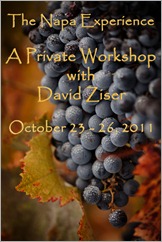
Lush, Ripe Wine Grapes with Mist Drops on the VineIt has been a kick!  With all the teaching, about the most I've done in this long of a stretch, it has been quite an invigorating experience in helping me get my "brain juices" flowing.  I even mentioned to LaDawn on our 7 hour drive to Napa/Sonoma area on Saturday how excited I was with all the images I've had a chance to create these last three weeks.  I cant wait to see what happens during my Napa Experience class this week.  As usual, you will be the first to know.

From The Students Perspective - Thanks For The Very Kind Words

Before we get into today's post, I'd like to share with you two very nice posts from three photographers we’ve met over these last few weeks.

First from John and his wife Susan who attended our Master Class.

DAZ MC CandidJohn writes, “I wanted to take a moment to thank you for the excellent Fall Master Class that we had the opportunity to take last week. Susan and I learned a bunch and had a lot of fun doing it. Thanks also to LaDawn (for her efforts in the class as well as on the home front), Jennifer and all your staff and coaches that made it possible.”

John did a very extensive day by day write up on my Master Class right here. Thanks again John and Susan for the very kind words and the great coverage of the week!

Secondly from Kevin Braun from my Dave Cross Workshop

DAZ at DCWKevin Graham, who was signed up for my Dave Cross Workshop, had been contacting me for weeks about helping on my Tampa wedding.  I figured I could use the additional help and I agreed to have assist. It was baptism by fire - I gave Kevin a quick lesson on my Quantum strobe and how to use it about 30 minutes before the shoot.  We were off and running for the next 9 hours without much of a break.

Kevin did a great job - hey Kevin, you can help me anytime - he nailed the light placement and anticipated what I was going to do next and what I might need to make it happen.  The shoot went off perfectly and we got some great images of the couple.

On Monday we all gathered for my Monday workshop.  Kevin was one of the participants and did a great write up of his experience assisting me on my wedding and  my class right here.  He also some some terrific images from the Monday session.  You can find his post right here.  Thanks Kevin for all the kind words.

OK gang, we haven't had any quick hits posted for the last few weeks so I've got a nice supply for you today.  Why don't we get right to it.  Here we go.

A Few Quick Hits: Lightroom 3, Goggle+, and A Little Inspiration

1. Google+ Set Up Guide: 

With 40 million people signed up, the folks at Google must be doing something right.  Want to get off and running on the right foot with Google+, then check out the link right here to a very handy Google+ setup guide.

2. Lightroom Presets Just In Time For The Fall & More

Being in the middle of  Autumn and the beautiful fall colors, even in the Napa/Sonoma areas, I thought it would be appropriate to post a link to fellow blogger, Matt Kloskowski’s Lightroom presets for Fall foliage.  You can find them right here.  Thanks Matt.

And while we’re on the subject of Lightroom 3, why not steer yourself over to PresetHeanen.com and pick up their 5 most downloaded Lightroom presets right here. It keeps getting better all the time.

3. Looking Good At The Wedding

ThRedHeadsOK gang, got a classy black tie wedding to shoot?  Then go out there and shoot that wedding looking really good.  One of my favorite clients has been featured in this blog many times has just started a brand new business – ThRedHeads.com.  I love the concept – tux shirts that rock.

What I love is their ability now to do made-to-order tuxedo or dress shirts for wedding parties in a gorgeous array of 16 colors, as the couple may choose what best enhances their color scheme for a truly remarkable wedding! They also have four designs IN-STOCK for weddings that may happen sooner, including a fantastic Tartan which would look amazing for holiday & winter weddings.

Hey, I have my shirt and love it!  What a great idea to share with your wedding clients too.  You know, it’s always the difference that makes the difference – even in tux shirts. Check out their rockin’ tux shirts right here – nothing like them anywhere, you’re going to love them! –David

4. A Little Inspiration To Start The Week

My long time friend, Terry Deglau, has been posting to his blog, “A Creative Mind Is A Moving Target” for several months now.  Each post is more exciting than the next.  Terry has been part of this profession for many years first as a photographer, then a  very long stint at Kodak Company, and now retired Terry is sharing his rich lifelong experiences for photographers to read everywhere.

Terry BlogWhat we have available in Terry’s weekly blog is a peek into the mind of wonderful artist, photographer, and industry friend.  Each week’s post is a must read and I never miss them.  Check out his latest post exploring 100+ iconic portraits of all time.

In Terry’s words, “This is going to blow your socks off.  Kick back, grab a blanket on this chilly Sunday, a hot pot of coffee, and settle into your favorite chair, and just take in, consume, and enjoy these images of characters who formed our world around us.  I should publish these as a small coffee table book, to enjoy today, tomorrow, on and on.  I have read this post at least 10 times and after lunch, I will again.”  Here is the link right here.

5. The View From The Top Of The World

Mt EverestAre you ready for your mountaintop experience?  I have always been enthralled by stories featuring climbs to the top of Mount Everest.  I had a client who climbed many of the mountains in that part of the world including K2, another of the world’s tallest mountains.

Maybe I am living vicariously through the eyes of others who have made it to the top of the worlds tallest peaks.  Nevertheless that view must be a breathtaking sight.  How about following this link right here to see the first ever 360 degree panorama image ever taken from the top of the world.  Prepared to be inspired!

_____________________________________________________

Hey gang, that's it for me today.  My Napa Experience workshop begins in just about an hour so I've got to be hitting the road.  I'm really looking forward to these next few days. Fran Russell, one of my former Master Class alums has set up our winery locations and all the models.  I hear both the models and the locations are amazing!  The really cool thing is that 2 of our Sedona alums are also attending the Napa Experience.  I have to say, I'm quite flattered.

We had a nice meet up at Fran’s studio last evening and everybody got a chance to meet and “break the ice” for the week. We have a great group and LaDawn and I are really looking forward to the next few days.

How about I check in with everyone bright and early tomorrow for recap of todays shoot and another mind bending (OK, that’s pushing it a little) fabulous Technique Tuesday.  I promise, it will be a good one.  It's title - Light Bending, Pixel Pushing, Sync Cheating Lighting!

Have a great day everybody.

See ya' tomorrow,  David